
Are QLOOQ apps and tools free?
Yes. VerLogs and FundBasket are free to use, with no ads and no paid plans, and the three MetaTrader 5 tools are free on the MQL5 Market. If paid features ever arrive, they'll be explained clearly before anyone is charged.
Where is my data stored?
For the web apps, in your own Google Drive. Each app creates its own folder — “VerLogs” or “FundBasket” — and saves your data there as ordinary files you can open, download or delete. QLOOQ runs no database of your content, and the apps talk to Google directly from your browser.
Can the apps see the rest of my Google Drive?
No. Both apps use Google's drive.file permission, which only gives an app access to the files it created itself — not your other documents, photos or folders.
Do I need a Google account?
Not to look around. VerLogs has a demo you can try without signing in, and you sign in with Google to save your log to Drive. FundBasket works fully without signing in, keeping your baskets in your browser; sign in only if you want a backup in your Drive.
How does FundBasket calculate XIRR, CAGR and P&L?
From official NAV history for each scheme, fetched from the free mfapi.in service. FundBasket uses the NAV on each date you bought or redeemed, then works out your invested amount, current value, profit and loss, XIRR, 1-year return and 3- and 5-year CAGR — all in your browser. It's a tracker, not investment advice.
Which mutual funds does FundBasket support?
Every Indian mutual fund scheme with published NAVs — equity, debt, hybrid, index and more, in direct and regular plans, growth and IDCW options. You can filter by fund house (AMC), category and sub-category when adding funds.
Does VerLogs work offline?
Yes. VerLogs keeps a working copy on your device, so you can keep logging without a connection, and syncs to your Google Drive when you're back online.
What are the QLOOQ tools for MetaTrader 5?
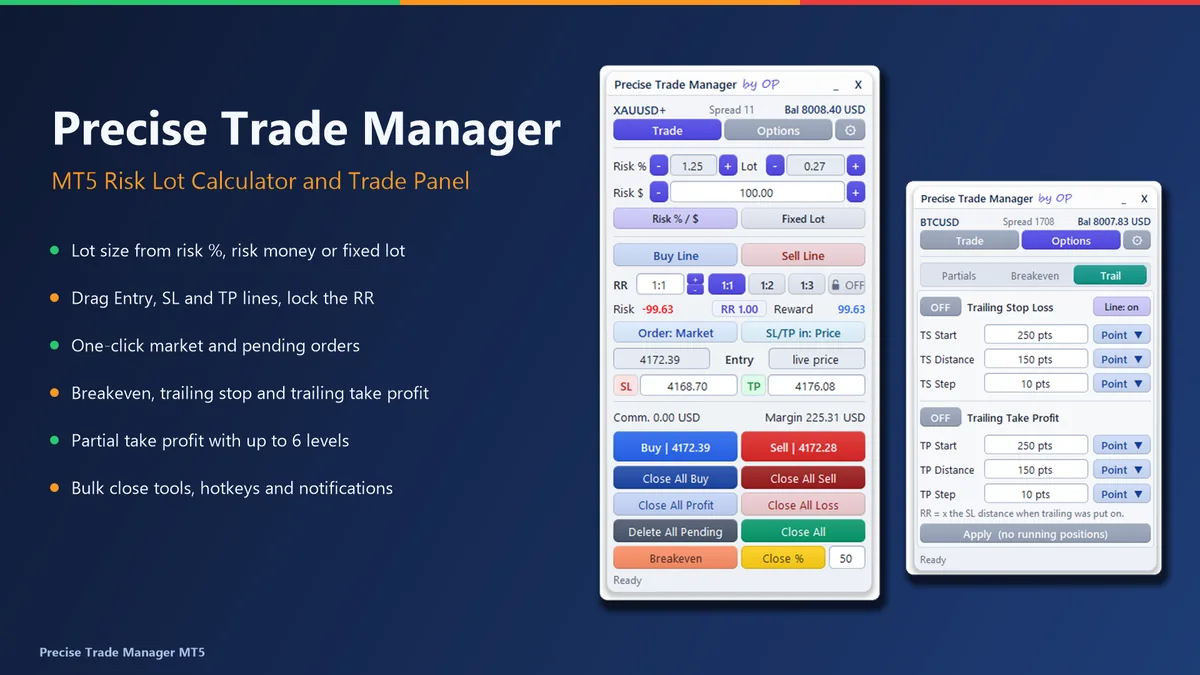
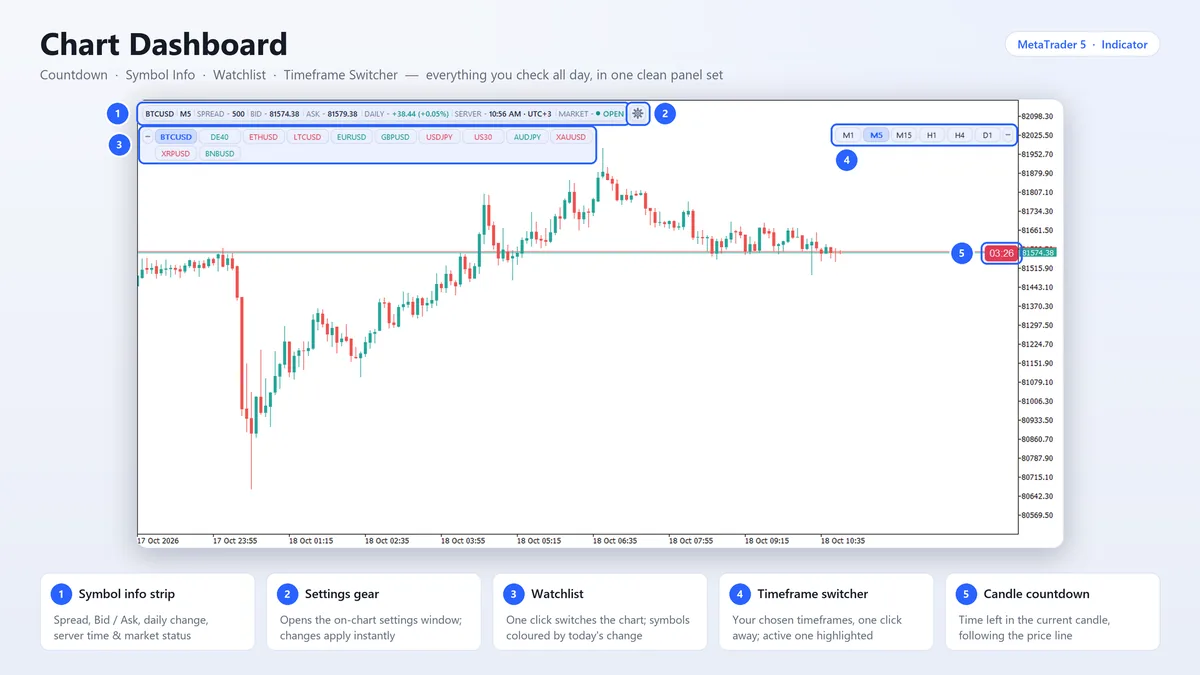
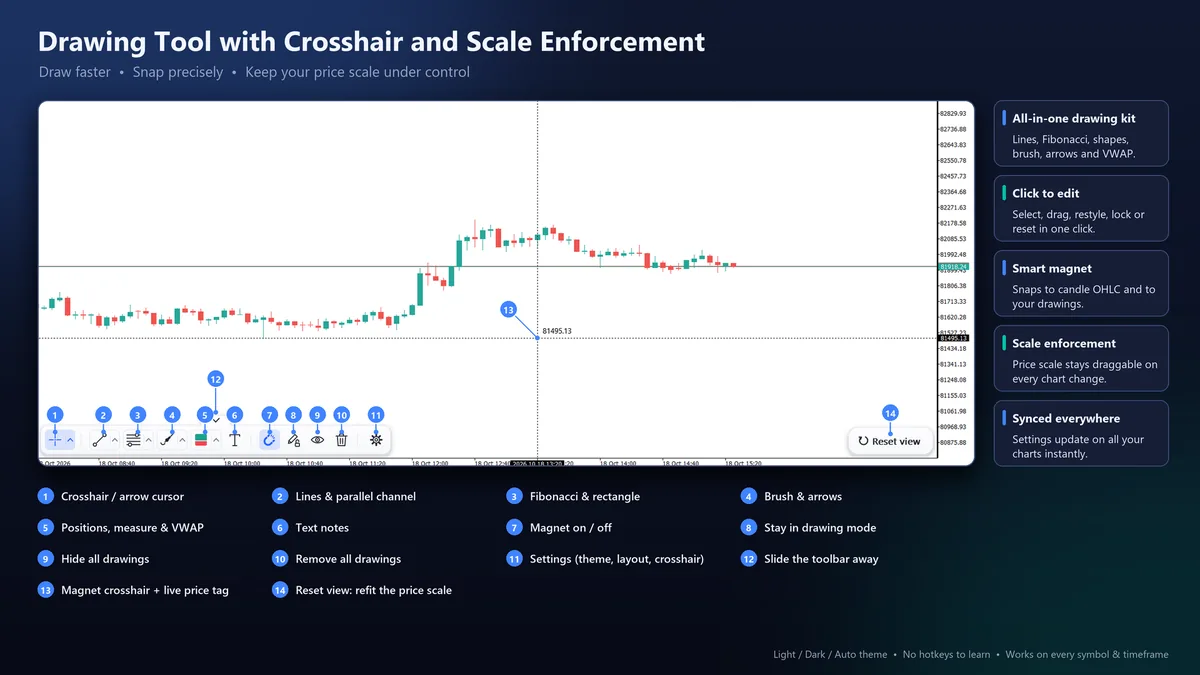
Three free tools on the MQL5 Market. Precise Trade Manager is an Expert Advisor for trading quickly with hotkeys: it sizes each trade from your risk and helps you manage it. Chart Dashboard is an indicator with a candle countdown, symbol info, a watchlist and a timeframe switcher. Drawing Tool is an indicator with a modern drawing toolbar, a magnet crosshair and a price scale that stays draggable. Install them from the MQL5 Market, on the website or inside MetaTrader 5.
Do the MT5 tools trade on their own or send my data anywhere?
No. None of them opens a trade on its own: Precise Trade Manager places an order only when you click, then applies the breakeven, trailing and partial take-profit rules you set. The two indicators never trade. All three run entirely inside MetaTrader 5, with no DLLs and no web requests, so nothing about your account or trades leaves your computer.
How do I delete my data or remove an app's access?
Delete the app's folder in Google Drive to remove your data for good, and remove the app's access at myaccount.google.com/connections. Data kept in your browser goes when you sign out or clear the site's data. QLOOQ keeps no copy.